Just got a Kindle.

I don't know what sales are like world-wide, but 4 of the people who sit around me at work have each got a Kindle in the last month or so, all independently.

 
Since I can't hot-link images, I'll just post a link to Penny Arcade's take on the ad-supported Kindle.

http://www.penny-arcade.com/comic/2011/4/13/

My only real Kindle annoyance at this point is that there are books I own in dead-tree format that haven't received a real e-book version yet. I can download versions of Donaldson's "Chronicles of Thomas Covenant", but they're crappy... no italics, etc.

That and the fact that I'd like a slightly ruggedized one.

And a bigger screen. (Without spending well over double the price.)

And color...

and..

and...
 
My gripes with the hardware are more to do with the positions of the keys for folk like me with fat fumbling fingers.

Software wise there are quite a few niggles: not being able to alter the the time before the screen-saver kicks in, I've loaded a few recipes on to my Kindle and when I'm following one I don't want the screen-saver to kick in. Collections within collections would be great, better bookmark handling, choose whether a book starts at the beginning or at the start of the story - I'm weird as I always like to read the copyright stuff and any preface text such as acknowledgements. Not being able to set margins (there is a hack to do it but shouldn't have to edit an ini file to make such a change). But as I say they are niggles, primarily it does what it says on the tin i.e. its for reading.

ETA: Stuff like colour doesn't interest me. Bigger screen? Perhaps but not at the cost of making it heavier or any bigger.
 
Last edited:
Since I can't hot-link images, I'll just post a link to Penny Arcade's take on the ad-supported Kindle.

http://www.penny-arcade.com/comic/2011/4/13/

:)

I wonder how many youngsters never had the delight of adverts in paperback books? I grew up with adverts for cigarettes in the middle of my books! The worse ones were the thin cardboard ones in the middle of the book, they help split the spine.

My only real Kindle annoyance at this point is that there are books I own in dead-tree format that haven't received a real e-book version yet. I can download versions of Donaldson's "Chronicles of Thomas Covenant", but they're crappy... no italics, etc.

...snip...

I have a lot of older books that I suspect will never appear (I've read science fiction for decades and have a large collection of paperbacks and hardbacks going back to the 30s), but I can live with that. What I have not liked is not having simultaneous release of the Kindle and hardback versions, its very hard for me to wait for a book!
 
I've had my K3 a few weeks now, and in that time I've read more books than in several previous years combined.
 
And Amazon's latest software upgrade which added the "other books" page when you get to the end of a book --- damn them - made it much too easy to keep reading a series of books!
 
:)

I wonder how many youngsters never had the delight of adverts in paperback books? I grew up with adverts for cigarettes in the middle of my books! The worse ones were the thin cardboard ones in the middle of the book, they help split the spine.

Hmm. When was this? I am pushing 60 now, and have been an avid reader since my early childhood days in the UK. I have no recollection of any advertisements in any of my books.
Maybe it was an SE thing; we had better standards in Norfolk.

As for the Kindle; I've had mine for several months now and have yet to buy a book. There is so much good free stuff out there that I have several years of reading to keep me busy.

V.
 
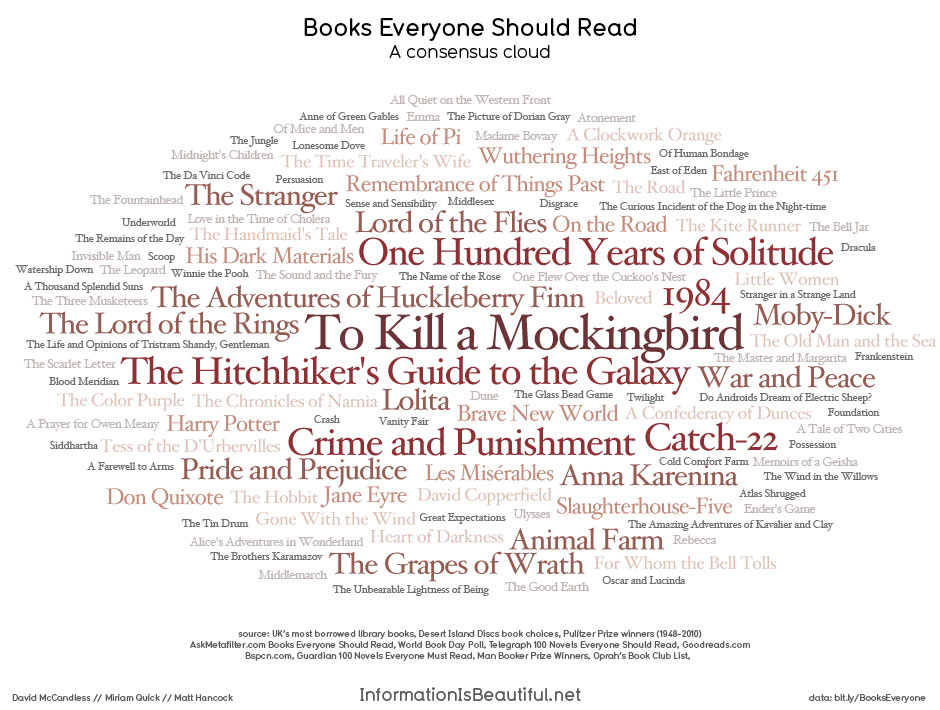
I've been playing catch-up on this list of Books Everyone Should Read:

Information-is-Beautiful--001.jpg
 
My hardware list of wants mostly has to do with wanting to be able to purchase magazines and view them - in color - on my Kindle. Would make me very happy to be able to not only store the magazines digitally, but also to be able to bookmark the articles. I guess, ideally, I would have two devices... one a dedicated book reader, and the other able to also display magazines. The smaller one would be great for carrying in my man-purse.

It's also one of my dreams to do some long-distance sailing, hence my desire for a ruggedized reader. Something that I could take on the boat with me and not worry about a stray splash of water ruining all of my reading material would be nice. Having said that, the thought of being able to take thousands of books without having to STORE thousands of books on a boat is just amazing.

Totally agree that the software needs better organizational abilities. I don't know if a "folder" style system or a "tag" style system would work better, but I could see it becoming cumbersome with a nearly-full kindle.
 
Software wise there are quite a few niggles: not being able to alter the the time before the screen-saver kicks in, I've loaded a few recipes on to my Kindle and when I'm following one I don't want the screen-saver to kick in.

Using a couple of commands, you can turn the screen saver off entirely (and then back on). Note that this disables it totally - even the hardware switch won't activate it until you re-enable the screensaver.

Linky
 
Hmm. When was this? I am pushing 60 now, and have been an avid reader since my early childhood days in the UK. I have no recollection of any advertisements in any of my books.
Maybe it was an SE thing; we had better standards in Norfolk.

As for the Kindle; I've had mine for several months now and have yet to buy a book. There is so much good free stuff out there that I have several years of reading to keep me busy.

V.

How dare you - I am a northerner, I'm just an economic migrant to this godforsaken part of the country! :)

I've books mainly from the 60s and 70s that have them, USA & UK publishers. Some are in old crime novels but mainly in the science fiction books, then there are the back cover adverts and some have a sort of "classified ads" style in the back few pages.
 
Using a couple of commands, you can turn the screen saver off entirely (and then back on). Note that this disables it totally - even the hardware switch won't activate it until you re-enable the screensaver.

Linky

Thanks - I see the person on that thread wanted it disabled for the same reason I do.
 
Using a couple of commands, you can turn the screen saver off entirely (and then back on). Note that this disables it totally - even the hardware switch won't activate it until you re-enable the screensaver.

Linky

There's what looks like a comprehensive list of hacks and add-ons here

Some look useful, others you have to wonder why you would want to (except "because you can" :)). I haven't tried any of them yet!
 
There's what looks like a comprehensive list of hacks and add-ons here

Some look useful, others you have to wonder why you would want to (except "because you can" :)). I haven't tried any of them yet!


Thanks for the link.

I've only tried the screensaver hack and am very happy with my custom images! :)

I may play around with some of the other ones.
 
And Amazon's latest software upgrade which added the "other books" page when you get to the end of a book --- damn them - made it much too easy to keep reading a series of books!
Oh I know, I downloaded a free book that's a prequel to a series, then bought the first book, telling myself that I would pace myself and buy one book per payday.

That was about a week ago and I've bought and finished all six books.

On the subject of minor annoyances, the first few books I bought were Diskworld novels that I hadn't read yet. I have a hard time spotting the asterisks linking to the footnotes at the back of the book. I wish they stood out more, I end up missing most of them.
 
Last edited:

Back
Top Bottom