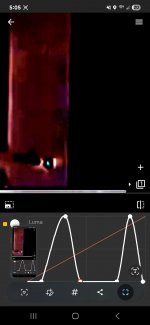
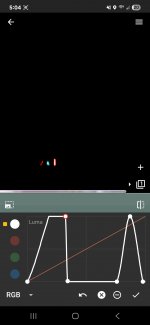
Say you were presented with the Falling Man photo which nt1 claims appears to be 'shopped' in. What method would you use to determine if the boundary was natural or cut and overlayed? Basically, I'm asking how a professional would identify an overlay line, and would it be a variant of nt1's method?
Well, that's a red herring. We would use statistical techniques over the whole image. These use some of the same math that the JPEG compression processes uses—namely the discrete cosine transform. But we don't use it to compress. We use it to look at the variations in luminance and chrominance channel groups and identify outliers.
But yes, there are things you can look for visually in the image at the boundaries. No, you don't generally need egregious manipulations of the channels to look for them. Nor is that the only visual inspection you can make. But to ask specifically about feature boundaries, which is
@nt1's bugbear, we can delve into that. This is when I wish I had a whiteboard.
In an image editing program such as Adobe Photoshop, pasting occurs into a separate image layer. Barring storage in the program's native format, these layers don't persist in the final saved image. They're composited together and "flattened" into a single layer that has the combined image channel data (usually RGB). The factors that affect how one layer combines pixel-by-pixel with another is what you have to look at.
In most cases, the image data in the pasted element in a layer is represented as a set of channels, one each for red, green, and blue data. The color of each pixel is the combination of RGB data from that same position in each channel. But you also have an alpha channel—what Photoshop calls a Layer Mask. This is a channel of coefficients that tell you, for each pixel, how much of the color channel data from the paste layer to use, and how much of the eventual background to use. This can also implement such things as transparency, but we'll stick with edge smoothing for now. For the interior of the pasted content, α = 1. For the parts of the paste layer that aren't occupied by the intended paste, α = 0. For the pixels on the boundary, 0 < α < 1.
The trick when cutting or copying the foreground element is to generate an accurate alpha channel at the boundary. Manual control of it is always available, in the form of "smoothness" in the selection. As I've been told by many Photoshop artists, the key skill in using it is learning how to select. It's not just a matter of knowing which pixels belong to the source feature and which to the background. Your ultimate selection will either be too small (i.e., omit some feature information) or too large (i.e., include some background information). The conceptual, infinitely thin line that separates feature from background will never exactly demarcate feature pixels from background pixels because there are pixels that are legitimately both. Therefore if your selection region is too large and includes background information from the source, you want the alpha layer to attenuate that as much as possible.
So if you have your "falling man" foreground element shot against, say, a black background in a studio, when you select it you'll probably pull in some of the black pixels at the edge. But the alpha channel at the edge will have a small coefficient, meaning that compositing will pull in more of the destination background at that pixel rather than the erroneously included black background. If the alpha channel is carelessly created, the coefficient will be too large and some of the original background information will be visibly combined with the destination background. In the black-background case, you might notice a slight darkening of a pixel or two around the foregound element in the composite image. You can amplify that if desired with a modest adjustment to the luminosity—nothing like the wholesale excursions in
@nt1's examples. But most of it will be visible to the naked eye under simple magnification of the suspect region.
More likely the foreground element will be taken from a natural background source. In that case the background pixels that come along for the ride will be something other than black, and modest adjustments in chrominance-related channels (hue information as opposed to brightness information) are what you would apply.
The converse case is when either a deficient alpha channel or a careless selection omits feature information. I.e., the selection is too small. This will appear as the feature boundary seeming slightly transparent, allowing destination boundary information to come through. Again, some modest manipulation of luminance or chrominance channels may make this easier to spot, depending on what the foreground and background look like. But not the wholesale blowouts in
@nt1's examples. And under no conditions I can imagine will these alpha-blending errors manifest as thick white or dark lines around the feature. And in my experience, they just don't occur very often.
If I can find some time, I'll try to find or create some visual examples. There's only so much I can handwave as text before a picture is worth a thousand words.