Sherman Bay
Master Poster
W.D. Clinger responded faster than I have, and described the process well, femr2. If you are indeed trying to learn and not trolling, I will elaborate. Please feel free to use the Web's resources to verify what I say here. I am not making s* up.
For each frame, since GIF can only store 256 different color values, the actual number must be reduced to 256 in order to make a "color map." If you are an experienced graphics designer, you can control which colors are dropped and which are altered. If not, you are at the mercy of an automatic program which doesn't know which colors are important to you, and makes its own decision.
It is possible for a GIF image to NOT encode significant data loss, but this can be done only if:
Not only is GIF extremely lossy under some conditions, but what I have just described is applied to every frame separately in video (unless an experienced video/graphics designer is in control to prevent that). So the color map for color #104 in frame #1 may map to a different color in frame #2, and still another in frame #3. This is what causes the "waving" or "pulsing" effect you see in many of these videos. What was dark blue in one frame may become green in the next and light blue in the next. If the process is cyclical, the effect may cause a moiré pattern.
Worse yet, if you are showing a GIF animation as video, the only way to avoid distortion would be to limit ALL colors for ALL frames to the same 256 color table. Otherwise, somewhere in time there will be color changes introduced between frames.
If you take a JPG image with poor compression (severe data loss), then save it as a GIF (more severe data loss), the resulting image is highly distorted in several ways. The artifacts are more prevalent than the original data in examples as you have given.
femr2, your disdain for my knowledge, and others who agree with me on this topic, and your lack of research before loudly insulting us is interesting. It would be like an auto mechanic who worked on Fords for 40 years and along comes a young punk kid who never changed a tire or sparkplug who, in all seriousness, claims that there is no "F" in the word "Ford," and refuses to look at the logo on the side of the Ford cars in the shop to check.
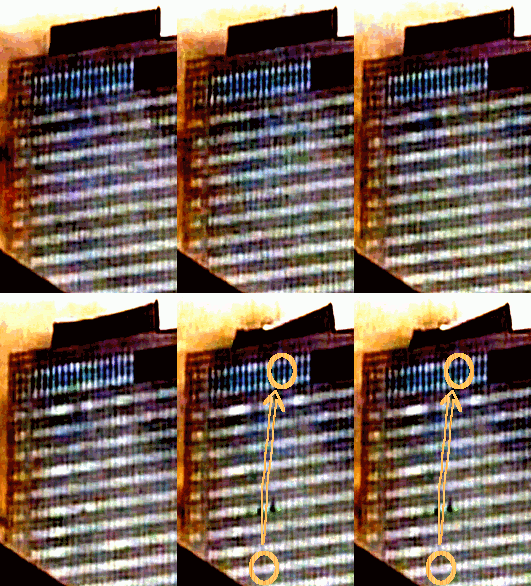
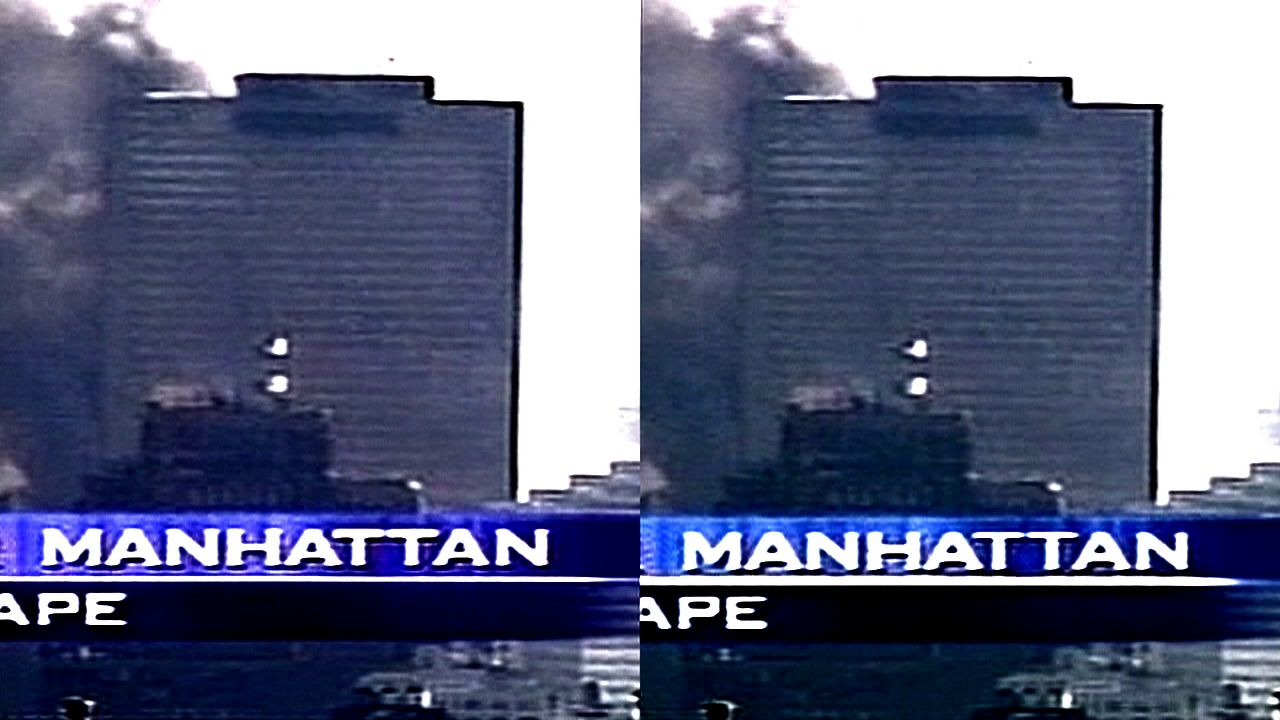
You may have intended it to be only color range enhancement, but using this kind of photo processing has introduced undesirable changes in the image which cannot be separated from the desirable ones. Indeed, the undesirable ones overwhelm any others. To someone familiar with photographic artifacts, that's what shows the most.It's just colour range enhancement to highlight behaviour which is already there.Sherman Bay said:What you are seeing is most likely an artifact caused by extreme photo processing.
As W.D.Clinger said, that is incorrect. Let me explain how GIF works.femr2 said:JPEG is lossy, GIF is not. Your statement makes little sense.
For each frame, since GIF can only store 256 different color values, the actual number must be reduced to 256 in order to make a "color map." If you are an experienced graphics designer, you can control which colors are dropped and which are altered. If not, you are at the mercy of an automatic program which doesn't know which colors are important to you, and makes its own decision.
It is possible for a GIF image to NOT encode significant data loss, but this can be done only if:
- you control the color value table to do so (some loss), or
- the original had no more than 256 colors (no loss).
Not only is GIF extremely lossy under some conditions, but what I have just described is applied to every frame separately in video (unless an experienced video/graphics designer is in control to prevent that). So the color map for color #104 in frame #1 may map to a different color in frame #2, and still another in frame #3. This is what causes the "waving" or "pulsing" effect you see in many of these videos. What was dark blue in one frame may become green in the next and light blue in the next. If the process is cyclical, the effect may cause a moiré pattern.
Worse yet, if you are showing a GIF animation as video, the only way to avoid distortion would be to limit ALL colors for ALL frames to the same 256 color table. Otherwise, somewhere in time there will be color changes introduced between frames.
If you take a JPG image with poor compression (severe data loss), then save it as a GIF (more severe data loss), the resulting image is highly distorted in several ways. The artifacts are more prevalent than the original data in examples as you have given.
All of them. The "wave" or "shockwave" in particular. Almost everything you "see" in these highly-distorted images was added to the image during processing. You are mistaking artifacts for facts.femr2 said:Sherman Bay said:Truthers put much stock in subjective interpretation of such artifacts, calling them "anomolies."
What *anomoly* is it that you think I am highlighting ?
That merely illustrates your lack of knowledge on the subject.femr2 said:A *photo processing expert* (interesting choice of word triplet. giggle) would not suggest similar artefact behaviour between GIF and JPEG formats. Two entirely different beasts.Sherman Bay said:Photo processing experts (of which I am one) call it absolute nonsense.
femr2, your disdain for my knowledge, and others who agree with me on this topic, and your lack of research before loudly insulting us is interesting. It would be like an auto mechanic who worked on Fords for 40 years and along comes a young punk kid who never changed a tire or sparkplug who, in all seriousness, claims that there is no "F" in the word "Ford," and refuses to look at the logo on the side of the Ford cars in the shop to check.