
-
Security incident: ISF was recently accessed by intruders. Please change your password, and change it anywhere else you used it. Read more
You are using an out of date browser. It may not display this or other websites correctly.
You should upgrade or use an alternative browser.
You should upgrade or use an alternative browser.
Merged Artificial Intelligence
- Thread starter Puppycow
- Start date
- Featured
Blue Mountain
Resident Skeptical Hobbit

I'm looking to do the same. What did you shift to?i enjoyed all the gains in my retirement account this bubble brought, but this is the week i shifted it into safe for the time being.
dirtywick
Penultimate Amazing

- Joined
- Sep 12, 2006
- Messages
- 12,680
I'm looking to do the same. What did you shift to?
it's the stable fund for my 401k, it's basically just bonds and a couple of other safe assets

And we change to accommodate our AI.... MS is surfacing an easier way to insert an "en" and an "em" dash after AI has popularised this form of punctuation. Personally - as if there is any other way - I've simply used a minus for years and it hasn't caused any confusion, beyond my usual torturing of the English language.
We’re adding a new keyboard shortcut to make it easier for you to insert an En dash (–) or Em dash (—) while typing anywhere in Windows. Going forward, pressing WIN + Minus (-) will insert En dash, and WIN + Shift + Minus (-) will insert Em dash. Note – if you have Magnifier running, WIN + Minus (-) will still zoom out Magnifier, rather than inserting an En dash.
Yesterday I wanted to extract some colours from an image and use them in Photoshop and whilst I have a few ways of doing it I thought I'd see if AI could come up with a standalone app to do it. I requested it as a standalone HTML page, it took about an hour and a half to get the final working version, which is quicker than I could have done it. It was an interesting process of me adding requests for additional functionality as I went along, giving it feedback when it screwed something up, which it did a lot. I didn't use any of the specialised AIs that are designed for coding all I used was the - free - MS Copilot app. (A strange and repeated error was that it wouldn't give me the complete code - it would end halfway through a function - and I had to pretty much after each iteration do an additional prompt which was "That can't be the complete code as it doesn't end with an end script nor end body tags, please regenerate the entire code" which worked each time.)
For anyone interested this is the code, simply save it as a text file with a html filetype and drop it into your browser:
For anyone interested this is the code, simply save it as a text file with a html filetype and drop it into your browser:
HTML:
<!DOCTYPE html>
<html lang="en">
<head>
  <meta charset="UTF-8" />
  <title>"Darat's" Palette Generator</title>
  <meta name="viewport" content="width=device-width, initial-scale=1" />
  <style>
    body { font-family: 'Segoe UI', Arial, sans-serif; background:#f8f6fb; color:#2e2e2e; margin:0; padding:2em; }
    h1 { text-align:center; color:#a89cc8; margin-bottom:1em; }
    #controls { text-align:center; margin-bottom:1em; }
    button, input[type="file"] { margin:0.5em; padding:0.6em 1.1em; background:#e9e4fb; border:1px solid #d3cbee; border-radius:6px; cursor:pointer; color:#3b3663; }
    button:hover { background:#dcd6f7; }
    #colorCount { width:280px; margin:0.5em; }
    #colorValue { font-weight:bold; color:#3b3663; }

    #previewWrapper { max-width:360px; width:100%; margin:0.5em auto 1em; }
    #previewPlaceholder {
      display:block;
      width:100%;
      aspect-ratio: 3 / 2;
      border-radius:10px;
      box-shadow:0 2px 8px rgba(0,0,0,0.08);
      background:#f0f0f0;
      border:2px dashed #ccc;
    }
    #previewImage {
      display:none;
      width:100%;
      height:auto;
      border-radius:10px;
      box-shadow:0 2px 8px rgba(0,0,0,0.08);
      background:transparent;
      object-fit:contain;
    }
    #previewImage[src] { display:block; }

    .palette { display:flex; gap:0.75em; justify-content:center; margin:1.5em 0; flex-wrap:wrap; }
    .color-block { width:110px; height:110px; border-radius:10px; position:relative; cursor:pointer; box-shadow:0 1px 6px rgba(0,0,0,0.08); border:1px solid rgba(168,156,200,0.3); }
    .hex { position:absolute; bottom:6px; left:6px; font-size:0.82em; background:rgba(255,255,255,0.85); padding:3px 6px; border-radius:5px; color:#3b3663; cursor:pointer; }
    .label { position:absolute; top:6px; left:6px; font-size:0.7em; background:rgba(255,255,255,0.9); padding:2px 5px; border-radius:4px; color:#3b3663; }
    .copied { position:absolute; top:50%; left:50%; transform:translate(-50%,-50%); background:rgba(0,0,0,0.75); color:#fff; padding:4px 8px; border-radius:4px; font-size:0.8em; display:none; }
    .hint { text-align:center; font-size:0.9em; color:#5a5482; margin-top:-0.3em; }
    textarea { width:100%; min-height:120px; margin-top:1em; font-family:ui-monospace, SFMono-Regular, Menlo, Monaco, Consolas, "Courier New", monospace; padding:0.75em; border:1px solid #d3cbee; border-radius:8px; background:#fff; }
    canvas { display:none; }
    #backButton { display:none; }
    .mode-select { margin-top:0.5em; }
    .mode-select label { margin:0 0.75em; }
  </style>
</head>
<body>
  <h1>"Darat's" Palette Extractor</h1>

  <div id="controls">
    <input type="file" id="upload" accept="image/*" /><br/>
    <label for="colorCount">Number of colours: <span id="colorValue">8</span></label><br/>
    <input type="range" id="colorCount" min="2" max="32" value="8" />
    <div class="mode-select">
      <label><input type="radio" name="mode" value="entire" checked> Entire Image</label>
      <label><input type="radio" name="mode" value="center"> Center Weighted</label>
    </div>
    <div class="hint">Click hex to copy. Click elsewhere in swatch to view harmonies. Use “Back to Palette” to return.</div>
  </div>

  <div id="previewWrapper">
    <div id="previewPlaceholder"></div>
    <img id="previewImage" alt="" />
  </div>
  <canvas id="canvas"></canvas>

  <div class="palette" id="palette"></div>

  <div style="text-align:center;">
    <button onclick="generatePalette()">Generate Random</button>
    <button onclick="exportText()">Export TXT</button>
    <button onclick="exportSVG()">Export SVG</button>
    <button onclick="exportGPL()">Export GPL</button>
    <button onclick="exportACO()">Save as ACO (Photoshop)</button>
    <button id="backButton" onclick="restorePalette()">Back to Palette</button>
  </div>

  <textarea id="output" placeholder="Exported palette will appear here..."></textarea>

  <script>
    document.addEventListener("DOMContentLoaded", () => {
      const paletteEl = document.getElementById('palette');
      const outputEl = document.getElementById('output');
      const canvas = document.getElementById('canvas');
      const ctx = canvas.getContext('2d', { willReadFrequently: true });

      const uploadInput = document.getElementById('upload');
      const colorCountSlider = document.getElementById('colorCount');
      const colorValue = document.getElementById('colorValue');
      const backButton = document.getElementById('backButton');
      const modeRadios = document.querySelectorAll('input[name="mode"]');

      const previewPlaceholder = document.getElementById('previewPlaceholder');
      const previewImage = document.getElementById('previewImage');

      let colors = [];
      let currentImage = null;
      let currentURL = null;
      let lastExtracted = [];
      let viewMode = 'palette';

      function clampByte(v){ return Math.max(0, Math.min(255, v|0)); }
      function rgbToHexFromRGB(r,g,b){ return "#" + [clampByte(r),clampByte(g),clampByte(b)].map(x=>x.toString(16).padStart(2,"0")).join(""); }
      function hexToRgb(hex){ return [parseInt(hex.slice(1,3),16), parseInt(hex.slice(3,5),16), parseInt(hex.slice(5,7),16)]; }
      function rgbToHsl(r,g,b){
        r/=255; g/=255; b/=255;
        const max=Math.max(r,g,b), min=Math.min(r,g,b);
        let h,s,l=(max+min)/2;
        if(max===min){h=s=0;} else {
          const d=max-min;
          s=l>0.5?d/(2-max-min):d/(max+min);
          switch(max){
            case r:h=(g-b)/d+(g<b?6:0);break;
            case g:h=(b-r)/d+2;break;
            case b:h=(r-g)/d+4;break;
          }
          h/=6;
        }
        return [Math.round(h*360), Math.round(s*100), Math.round(l*100)];
      }
      function hslToRgb(h,s,l){
        h/=360; s/=100; l/=100;
        let r,g,b;
        if(s===0){ r=g=b=l; }
        else {
          const hue2rgb=(p,q,t)=>{
            if(t<0)t+=1; if(t>1)t-=1;
            if(t<1/6) return p+(q-p)*6*t;
            if(t<1/2) return q;
            if(t<2/3) return p+(q-p)*(2/3-t)*6;
            return p;
          };
          const q=l<0.5? l*(1+s) : l+s-l*s;
          const p=2*l-q;
          r=hue2rgb(p,q,h+1/3);
          g=hue2rgb(p,q,h);
          b=hue2rgb(p,q,h-1/3);
        }
        return [Math.round(r*255), Math.round(g*255), Math.round(b*255)];
      }

      function copyHexToClipboard(hex, block){
        if (navigator.clipboard && navigator.clipboard.writeText) {
          navigator.clipboard.writeText(hex).then(()=>flashCopied(block)).catch(()=>fallbackCopy(hex, block));
        } else {
          fallbackCopy(hex, block);
        }
      }
      function fallbackCopy(hex, block){
        const ta = document.createElement('textarea');
        ta.value = hex;
        ta.style.position = 'fixed';
        ta.style.left = '-9999px';
        document.body.appendChild(ta);
        ta.select();
        try { document.execCommand('copy'); } catch(e) {}
        document.body.removeChild(ta);
        flashCopied(block);
      }
      function flashCopied(block){
        const tag = block.querySelector('.copied');
        if (!tag) return;
        tag.style.display = 'block';
        setTimeout(()=>{ tag.style.display = 'none'; }, 900);
      }

      function drawPalette(hexColors, labels=null, mode='palette'){
        viewMode=mode;
        colors=hexColors.slice(0);
        paletteEl.innerHTML='';
        backButton.style.display = mode==='harmonies' ? 'inline-block' : 'none';

        colors.forEach((hex,i)=>{
          const block=document.createElement('div');
          block.className='color-block';
          block.style.background=hex;

          const hexEl=document.createElement('div');
          hexEl.className='hex';
          hexEl.textContent=hex;
          hexEl.addEventListener('click', (ev)=>{
            ev.stopPropagation(); // prevent showing harmonies
            copyHexToClipboard(hex, block);
          });

          const copiedEl=document.createElement('div');
          copiedEl.className='copied';
          copiedEl.textContent='Copied!';

          if(labels && labels[i]){
            const labelEl=document.createElement('div');
            labelEl.className='label';
            labelEl.textContent=labels[i];
            block.appendChild(labelEl);
          }

          // Click elsewhere in block shows harmonies only in palette mode
          if(mode==='palette'){
            block.addEventListener('click', ()=>showHarmonies(hex));
          } else {
            // In harmonies view, clicking the block just copies if hex is clicked; elsewhere does nothing.
          }

          block.appendChild(hexEl);
          block.appendChild(copiedEl);
          paletteEl.appendChild(block);
        });
      }

      function showHarmonies(hex){
        const [r,g,b]=hexToRgb(hex);
        const [h,s,l]=rgbToHsl(r,g,b);
        const harmonyHexes=[], labels=[];
        const base=hex; const baseLabel='Base';

        harmonyHexes.push(rgbToHexFromRGB(...hslToRgb((h+180)%360,s,l))); labels.push("Complementary");
        harmonyHexes.push(rgbToHexFromRGB(...hslToRgb((h+30)%360,s,l))); labels.push("Analogous +30°");
        harmonyHexes.push(rgbToHexFromRGB(...hslToRgb((h+330)%360,s,l))); labels.push("Analogous -30°");
        harmonyHexes.push(rgbToHexFromRGB(...hslToRgb((h+120)%360,s,l))); labels.push("Triadic +120°");
        harmonyHexes.push(rgbToHexFromRGB(...hslToRgb((h+240)%360,s,l))); labels.push("Triadic +240°");
        harmonyHexes.push(rgbToHexFromRGB(...hslToRgb(h,s,Math.min(100,l+20)))); labels.push("Tint +20 L");
        harmonyHexes.push(rgbToHexFromRGB(...hslToRgb(h,s,Math.max(0,l-20)))); labels.push("Shade -20 L");

        const hexes=[base, ...harmonyHexes];
        const labs=[baseLabel, ...labels];
        drawPalette(hexes, labs, 'harmonies');
      }

      function restorePalette(){
        if(lastExtracted.length) drawPalette(lastExtracted, null, 'palette');
      }

      function getSelectedMode(){
        const checked = Array.from(modeRadios).find(r => r.checked);
        return checked ? checked.value : 'entire';
      }

      function extractColorsFromImage(img, count){
        const maxDim=800;
        const scale=Math.min(maxDim/img.width, maxDim/img.height, 1);
        const w=Math.max(1, Math.floor(img.width*scale));
        const h=Math.max(1, Math.floor(img.height*scale));
        canvas.width=w; canvas.height=h;
        ctx.clearRect(0,0,w,h);
        ctx.drawImage(img,0,0,w,h);

        let sx=0, sy=0, sw=w, sh=h;
        if(getSelectedMode()==='center'){
          sx=Math.floor(w*0.2);
          sy=Math.floor(h*0.2);
          sw=Math.floor(w*0.6);
          sh=Math.floor(h*0.6);
        }

        const data=ctx.getImageData(sx, sy, sw, sh).data;
        const buckets=new Map();
        const step=4*3;

        for(let i=0;i<data.length;i+=step){
          const r=data[i], g=data[i+1], b=data[i+2], a=data[i+3];
          if(a<128) continue;
          const [hue,sat,light]=rgbToHsl(r,g,b);
          if(light<8||light>94||sat<18) continue;

          const hKey=Math.round(hue/12)*12;
          const sKey=Math.round(sat/10)*10;
          const lKey=Math.round(light/10)*10;
          const key=`${hKey}-${sKey}-${lKey}`;

          let bucket=buckets.get(key);
          if(!bucket){ bucket={ r:0,g:0,b:0,n:0, score:0 }; buckets.set(key,bucket); }
          bucket.r+=r; bucket.g+=g; bucket.b+=b; bucket.n+=1;
          bucket.score += 1 + (sat/100) * 1.5;
        }

        const candidates=[];
        buckets.forEach(b=>{
          const avgR=Math.round(b.r/b.n);
          const avgG=Math.round(b.g/b.n);
          const avgB=Math.round(b.b/b.n);
          candidates.push({ hex: rgbToHexFromRGB(avgR,avgG,avgB), score:b.score });
        });
        candidates.sort((a,b)=>b.score-a.score);

        const selected=[];
        const rgbDist=(h1,h2)=>{
          const r1=parseInt(h1.slice(1,3),16), g1=parseInt(h1.slice(3,5),16), b1=parseInt(h1.slice(5,7),16);
          const r2=parseInt(h2.slice(1,3),16), g2=parseInt(h2.slice(3,5),16), b2=parseInt(h2.slice(5,7),16);
          return Math.abs(r1-r2)+Math.abs(g1-g2)+Math.abs(b1-b2);
        };
        const threshold=80;

        for(const c of candidates){
          if(selected.length===0 || !selected.some(s=>rgbDist(s,c.hex)<threshold)){
            selected.push(c.hex);
          }
          if(selected.length>=count) break;
        }

        let topColors=selected.slice(0,count);
        if(topColors.length<count){
          for(const c of candidates){
            if(!topColors.includes(c.hex)){
              topColors.push(c.hex);
              if(topColors.length>=count) break;
            }
          }
        }

        lastExtracted=topColors.slice(0);
        drawPalette(topColors, null, 'palette');
      }

      function generatePalette(){
        const count = parseInt(colorCountSlider.value, 10);
        const comp = () => 215 + Math.floor(Math.random()*35);
        const randomPastelHex = () => rgbToHexFromRGB(comp(), comp(), comp());
        const set = Array.from({length: count}, randomPastelHex);
        lastExtracted = set.slice(0);
        drawPalette(set, null, 'palette');
      }

      function exportText(){ outputEl.value=colors.join('\n'); }
      function exportSVG(){
        const width=Math.max(1, colors.length)*120;
        let svg=`<svg width="${width}" height="120" xmlns="http://www.w3.org/2000/svg">\n`;
        colors.forEach((c,i)=>{ svg+=`<rect x="${i*120}" y="0" width="120" height="120" fill="${c}" />\n`; });
        svg+=`</svg>`;
        outputEl.value=svg;
      }
      function exportGPL(){
        let gpl=`GIMP Palette\nName: Davrat Gallery\nColumns: ${colors.length}\n#\n`;
        colors.forEach(c=>{
          const r=parseInt(c.slice(1,3),16), g=parseInt(c.slice(3,5),16), b=parseInt(c.slice(5,7),16);
          gpl+=`${r} ${g} ${b} ${c}\n`;
        });
        outputEl.value=gpl;
      }
      function exportACO(){
        if(!colors.length) return;
        const n=colors.length;
        const bytes=new ArrayBuffer(4 + n*10);
        const view=new DataView(bytes);
        view.setUint16(0, 1, false);
        view.setUint16(2, n, false);
        let offset=4;
        for(let i=0;i<n;i++){
          const hex=colors[i];
          const r=parseInt(hex.slice(1,3),16);
          const g=parseInt(hex.slice(3,5),16);
          const b=parseInt(hex.slice(5,7),16);
          view.setUint16(offset+0, 0, false);        // RGB space
          view.setUint16(offset+2, r*257, false);
          view.setUint16(offset+4, g*257, false);
          view.setUint16(offset+6, b*257, false);
          view.setUint16(offset+8, 0, false);
          offset+=10;
        }
        const blob=new Blob([bytes], { type:'application/octet-stream' });
        const url=URL.createObjectURL(blob);
        const a=document.createElement('a');
        a.href=url; a.download='palette.aco';
        document.body.appendChild(a); a.click(); a.remove();
        URL.revokeObjectURL(url);
      }

      uploadInput.addEventListener('change', (e)=>{
        const file=e.target.files && e.target.files[0];
        if(!file){
          previewImage.removeAttribute('src');
          previewPlaceholder.style.display = 'block';
          currentImage = null;
          return;
        }
        if(currentURL){ URL.revokeObjectURL(currentURL); currentURL=null; }
        const url=URL.createObjectURL(file);
        currentURL=url;
        const img=new Image();
        img.onload=()=>{
          previewImage.src=url;
          previewPlaceholder.style.display='none';
          currentImage=img;
          const count=parseInt(colorCountSlider.value,10);
          extractColorsFromImage(img, count);
        };
        img.src=url;
      });

      const updateSlider=()=>{
        colorValue.textContent=colorCountSlider.value;
        if(currentImage && viewMode==='palette'){
          extractColorsFromImage(currentImage, parseInt(colorCountSlider.value,10));
        }
      };
      colorCountSlider.addEventListener('input', updateSlider);
      colorCountSlider.addEventListener('change', updateSlider);

      modeRadios.forEach(radio=>{
        radio.addEventListener('change', ()=>{
          if(currentImage && viewMode==='palette'){
            extractColorsFromImage(currentImage, parseInt(colorCountSlider.value,10));
          }
        });
      });

      window.generatePalette=generatePalette;
      window.exportText=exportText;
      window.exportSVG=exportSVG;
      window.exportGPL=exportGPL;
      window.exportACO=exportACO;
      window.restorePalette=restorePalette;

      generatePalette();
    });
  </script>
</body>
</html>arthwollipot
Limerick Purist Pronouns: He/Him

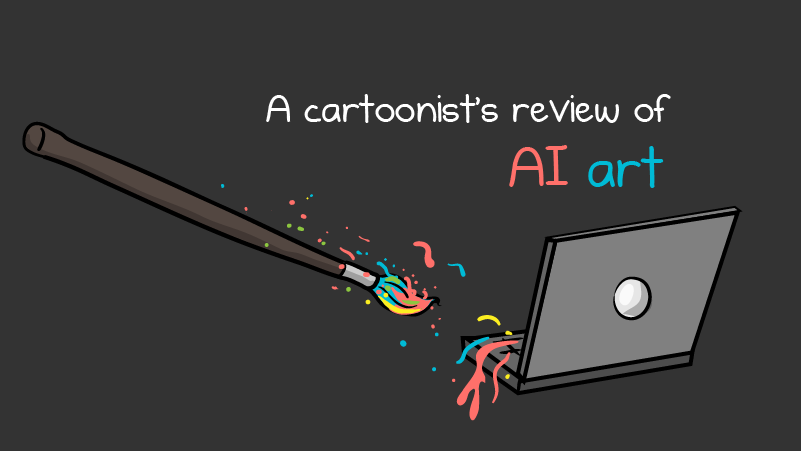
The Oatmeal nails it, I think, in this kind of long comic:

Dr.Sid
Philosopher
Huh, you read all of that !?

Awesome take on AI. I've been saying that for years about talent, too.The Oatmeal nails it, I think, in this kind of long comic:
arthwollipot
Limerick Purist Pronouns: He/Him
Yes. It's worth reading all of it.Huh, you read all of that !?
Dr.Sid
Philosopher
After the first few pages I doubt it.Yes. It's worth reading all of it.
EHocking
Penultimate Amazing

at some point in its tediousness, it even states whether itself will ever get to the pointAfter the first few pages I doubt it.
arthwollipot
Limerick Purist Pronouns: He/Him
Okay, for those who think it's too long to read (where's your attention span, people?), cartoonist Matt Inman (The Oatmeal) described how AI has affected his work as a cartoonist. After addressing a number of concerns, he comes to the conclusion that AI is useful in some ways, particularly the ways in which what he refers to as the "administrative work" of the creative process can be automated. It's an insightful and interesting examination of the issue from someone who is in a position to know it well.
Dr.Sid
Philosopher
That's the issue for me. He's an artist. Artists think different. Wide. Fuzzy. Possibilities. Emotions. Just when they are near a point .. they will start with another angle. I'm software engineer. Give me a formula. Short one preferably. Emotions ? What's that. Where's that in the formula ?
In the beginning he talks about the letdown when he learns an art he likes is AI. I don't have that. First I usually don't like anything. I'm old(ish) cynic. But if I do .. and then I learn it's AI .. I'm excited. AI is exciting. All the progress, every week something new. Sure, I wouldn't really say using generative AI is an art .. it's skill at best. And 99% is pure slop. But the AIs themselves, the training process, the math behind it .. that's the art. I mean as long as you consider engineering an art .. but I do.
In the beginning he talks about the letdown when he learns an art he likes is AI. I don't have that. First I usually don't like anything. I'm old(ish) cynic. But if I do .. and then I learn it's AI .. I'm excited. AI is exciting. All the progress, every week something new. Sure, I wouldn't really say using generative AI is an art .. it's skill at best. And 99% is pure slop. But the AIs themselves, the training process, the math behind it .. that's the art. I mean as long as you consider engineering an art .. but I do.
Blue Mountain
Resident Skeptical Hobbit
I downloaded all the images and did an OCR on them. The OCR isn't perfect so I'm missing some of the narrative, but it comes to about 2,000 words.Yes. It's worth reading all of it.
He's talking about AI generated art, not engineering or software. And you agree with him, 99% of it is slop.That's the issue for me. He's an artist. Artists think different. Wide. Fuzzy. Possibilities. Emotions. Just when they are near a point .. they will start with another angle. I'm software engineer. Give me a formula. Short one preferably. Emotions ? What's that. Where's that in the formula ?
In the beginning he talks about the letdown when he learns an art he likes is AI. I don't have that. First I usually don't like anything. I'm old(ish) cynic. But if I do .. and then I learn it's AI .. I'm excited. AI is exciting. All the progress, every week something new. Sure, I wouldn't really say using generative AI is an art .. it's skill at best. And 99% is pure slop. But the AIs themselves, the training process, the math behind it .. that's the art. I mean as long as you consider engineering an art .. but I do.
Beelzebuddy
Penultimate Amazing

- Joined
- Jun 10, 2010
- Messages
- 10,925
Ehhhh... not really? It's hard to succinctly argue against the comic because it goes on for so very long. But his main complaint seems to be that he appreciates the effort that artists put into their work for its own sake. Which is cool for him, sure. But I don't. I want better art. I wonder if, in his passionate defense of "photoshop artists," he recalls when photoshop was attacked for being the same thing AI is today; an easy route to fairly middlin' talent without the need for hard work. He almost points that out with the lasso tool, but then concludes that it turned out you still had to have skill to use it effectively. Yet he never makes the reverse leap to think that maybe AI is going to turn out similarly as well, serving only to better highlight the difference between creative effort and bare-minimum slop.Okay, for those who think it's too long to read (where's your attention span, people?), cartoonist Matt Inman (The Oatmeal) described how AI has affected his work as a cartoonist. After addressing a number of concerns, he comes to the conclusion that AI is useful in some ways, particularly the ways in which what he refers to as the "administrative work" of the creative process can be automated. It's an insightful and interesting examination of the issue from someone who is in a position to know it well.
I would, sorta. It's not NOT art. The heart of art is communication. Generative AI isn't going to give you an insightful message to communicate, only help you dress up the message you give it. It's just a tool. The job of the artist is to use the tools to facilitate their art, whether it's prompting a model or shooping some pixels or painting on canvas.Sure, I wouldn't really say using generative AI is an art .. it's skill at best.
Last edited:
Blue Mountain
Resident Skeptical Hobbit
Yesterday I wanted to extract some colours from an image and use them in Photoshop and whilst I have a few ways of doing it I thought I'd see if AI could come up with a standalone app to do it. I requested it as a standalone HTML page, it took about an hour and a half to get the final working version, which is quicker than I could have done it. It was an interesting process of me adding requests for additional functionality as I went along, giving it feedback when it screwed something up, which it did a lot. I didn't use any of the specialised AIs that are designed for coding all I used was the - free - MS Copilot app. (A strange and repeated error was that it wouldn't give me the complete code - it would end halfway through a function - and I had to pretty much after each iteration do an additional prompt which was "That can't be the complete code as it doesn't end with an end script nor end body tags, please regenerate the entire code" which worked each time.)
(snipped program)
It's for stuff like this that AI/LLM tools are useful. I've been programming computers for over forty years, but I find LLMs handy for spitting bits and pieces of code so I can concentrate on the overall program instead of the minutiae. And every once in a while it shows me a part of the programming language that's new to me, which means I learn something.
Last edited:
The point he makes is that creating prompts to create AI art is pretending to do art.Yet he never makes the reverse leap to think that maybe AI is going to turn out similarly as well, serving only to better highlight the difference between creative effort and bare-minimum slop.
Beelzebuddy
Penultimate Amazing
- Joined
- Jun 10, 2010
- Messages
- 10,925
Which is wrong because the art is the communication, not the tool. WHY are you making that prompt? What are you trying to achieve?The point he makes is that creating prompts to create AI art is pretending to do art.
Nah, there is no right or wrong in that sense, because it comes back to the eternal, "What is Art"?Which is wrong because the art is the communication, not the tool. WHY are you making that prompt? What are you trying to achieve?